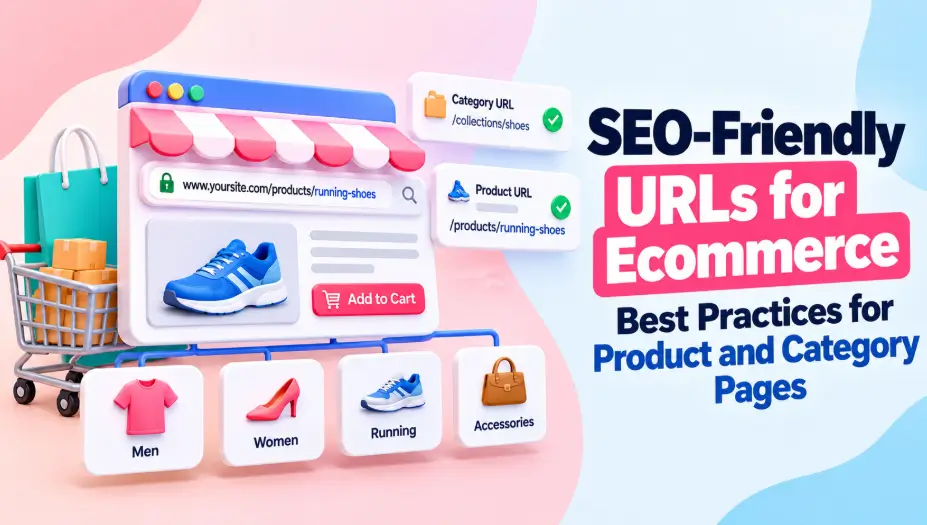
SEO-Friendly URLs for Ecommerce: 9 Best Practices for Product and Category Pages

An ecommerce store can have 500 products but thousands of URLs. How? Product variants, category pages, filters, and sorting options can create multiple addresses for similar content.
I’ve seen how this makes ecommerce SEO harder to manage. Search engines may spend time crawling unnecessary URLs while important product pages receive less attention.
The solution isn’t simply making every URL shorter. It’s creating a structure that helps shoppers find products and allows Google to discover the right pages.
In this guide, I’ll share nine best practices for SEO-friendly ecommerce URLs, with practical examples for product and category pages.
9 SEO-Friendly URL Best Practices for Ecommerce
1. Use Descriptive URLs for Product Pages
A product URL should tell shoppers what they’re viewing without requiring them to open the page.
Consider these examples:
Unclear URL:
example.com/product?id=84729
Descriptive URL:
example.com/products/mens-running-shoes
The second URL communicates the product type immediately.
I recommend including the product name or a clear description in the slug. Avoid unnecessary numbers, repeated keywords, and promotional phrases that may become outdated.
Before publishing new products, I also recommend running an SEO URL Check to review the URL structure and spot formatting concerns.
My tip: Don’t change an established product URL solely to make it shorter. Check its organic traffic, backlinks, and indexing status first.
2. Build Clear and Consistent Category URL Structures
Category URLs help organize products and communicate how your store is structured.
For example:
- /collections/mens-shoes
- /collections/womens-shoes
- /collections/running-shoes
I prefer category names that match how customers browse products.
Avoid creating unnecessarily complicated paths such as:
/store/shop/products/categories/footwear/mens/running
A shorter structure may be easier to maintain, but remember that URL depth and click depth are different.
A product can have a short URL and still be difficult for Google to discover if internal linking is poor.
Quick tip: Make important categories accessible through your main navigation and relevant internal links.
3. Keep Product URLs Stable Across Categories
One product may appear in several collections.
For example, a running shoe might belong to:
- Men’s Shoes
- Running Shoes
- Sports Footwear
That doesn’t mean it needs three separate indexable product URLs.
I prefer maintaining one primary product URL, such as:
example.com/products/nike-running-shoes
Instead of generating different addresses for the same product under every category.
If your platform creates multiple paths, review its canonical URL settings.
Why it matters: Consistent product URLs reduce unnecessary duplication and make internal linking easier to manage.
4. Handle Product Variants With Proper URLs and Canonicals
Ecommerce products often come in different colors, sizes, or styles.
Consider:
example.com/products/running-shoes?color=black
example.com/products/running-shoes?color=blue
These URLs aren’t automatically an SEO problem.
Google supports different approaches to product variants, depending on how the website displays and organizes them.
For variants that share one main product page, a common canonical strategy may be appropriate.
For variants with distinct, valuable landing pages, separate indexable URLs may make sense.
My recommendation: Decide whether each variant deserves independent search visibility before choosing its URL and canonical setup.
Don’t canonicalize every variant automatically without considering the page’s content and search intent.
5. Control Filter and Sorting Parameters
This is one of the biggest URL management challenges for large ecommerce websites.
A customer might filter products by color, size, brand, and price.
For example:
/shoes?color=black&size=9&sort=price
Now imagine thousands of combinations across hundreds of categories.
Search engines may discover large numbers of URLs that display similar products.
How I’d manage this:
- Identify filters that generate useful search landing pages.
- Review parameter combinations that create unnecessary duplicates.
- Keep important category pages crawlable.
- Use a consistent indexing and canonicalization strategy.
Important: Blocking all filtered URLs isn’t always the right solution. Some filtered categories, such as black running shoes, may attract valuable search traffic.
6. Give Paginated Category Pages Unique URLs
Large product categories often contain multiple pages.
For example:
- /running-shoes?page=1
- /running-shoes?page=2
- /running-shoes?page=3
Each page displays a different set of products.
I recommend giving paginated pages distinct crawlable URLs and ensuring Google can follow links between them.
Common mistake: Setting every paginated page’s canonical URL to page one.
Google recommends that individual pagination pages have their own canonical URLs rather than automatically pointing all pages to the first page.
My tip: Use regular crawlable links between pagination pages so products deeper in a category remain discoverable.
7. Use Consistent Lowercase Slugs and Hyphens
Google recommends hyphens to separate words in URLs.
I also prefer lowercase URLs to avoid unnecessary casing variations.
| Less consistent | Preferred format |
| /Running_Shoes | /running-shoes |
| /MensShoes | /mens-shoes |
| /Products/Blue-Shirt | /products/blue-shirt |
These conventions make URLs easier to read and manage.
However, changing an existing URL just to replace underscores or uppercase letters may introduce unnecessary redirect work.
I apply these rules primarily when creating new product and category pages.
8. Manage Discontinued Products Without Creating Broken URLs
What happens when a product sells out or gets discontinued?
Deleting the page immediately isn’t always the best option.
Here’s how I’d handle different situations:
| Product situation | Recommended action |
| Temporarily out of stock | Keep the product page live |
| Discontinued with a close replacement | Consider a 301 redirect |
| Discontinued but still receives useful traffic | Keep an informative page with alternatives |
| Permanently removed without a replacement | Return a proper 404 or 410 |
For example, if an older running shoe model is replaced by a newer version, a redirect may make sense when the new product satisfies the same shopper intent.
My tip: Don’t redirect every discontinued product to the homepage. Visitors should land on a relevant alternative.
9. Keep Canonical URLs, Sitemaps, and Internal Links Consistent
Even well-written product URLs can create SEO problems when a website sends conflicting signals.
For example, your sitemap might list one URL while internal links point to another variation.
I recommend checking three things regularly:
- Canonical tags: Identify the preferred URL for duplicate or similar pages.
- XML sitemaps: Include the canonical URLs you want search engines to discover.
- Internal links: Point directly to preferred product and category URLs.
I also use Google Search Console to investigate indexing and canonicalization issues.
Keeping these signals consistent helps Google understand which URLs you want represented in search results.
See also: Customer Care Phone 8556178776 Business Inquiries
Ecommerce URL Examples: Good vs. Problematic
Here’s a quick comparison of common ecommerce URL situations.
| URL example | Potential issue | Better approach |
| /product?id=783 | Unclear product description | Use a descriptive slug |
| /Mens_Running_Shoes | Inconsistent formatting | Use lowercase and hyphens |
| /shoes?sort=price | Sorting creates another URL | Review indexing requirements |
| /shoes?page=2 | Pagination needs crawlable links | Keep distinct page URLs |
| Multiple category-based product URLs | Duplicate product addresses | Establish a preferred URL |
Not every URL in the middle column needs changing. I always check how it functions before recommending a fix.
Which Ecommerce URL Problems Should You Fix First?
I prioritize problems based on their potential impact.
| Priority | URL issue |
| High | Important products blocked from crawling or indexing |
| High | Incorrect canonical URLs |
| High | Broken product URLs and redirect errors |
| Medium | Excessive filter and sorting URLs |
| Medium | Duplicate product URLs across categories |
| Low | Long slugs and minor formatting differences |
For an established store, I’d rather fix 50 important product URLs with genuine indexing problems than rename 500 working URLs for cosmetic reasons.
Final Thoughts
Good ecommerce URL structures aren’t just about clean-looking slugs.
I focus on stable product URLs, logical categories, controlled parameters, and consistent canonical signals.
Before changing existing URLs, check whether the issue actually affects crawling, indexing, or shoppers. Fix meaningful problems first, and avoid migrations that create more work than value.
Frequently Asked Questions
Should ecommerce product URLs include category names?
Not necessarily. Category names can provide context, but stable product URLs without category paths are often easier to manage when products appear in multiple collections.
Are product variant URLs bad for SEO?
No. Variant URLs can be useful, especially when different colors or styles deserve separate landing pages. The important part is choosing the right canonical and indexing strategy.
Should filtered ecommerce URLs be indexed?
Only when they provide useful, distinct landing pages that match search demand. Indexing every filter combination can create unnecessary duplication and crawling problems.